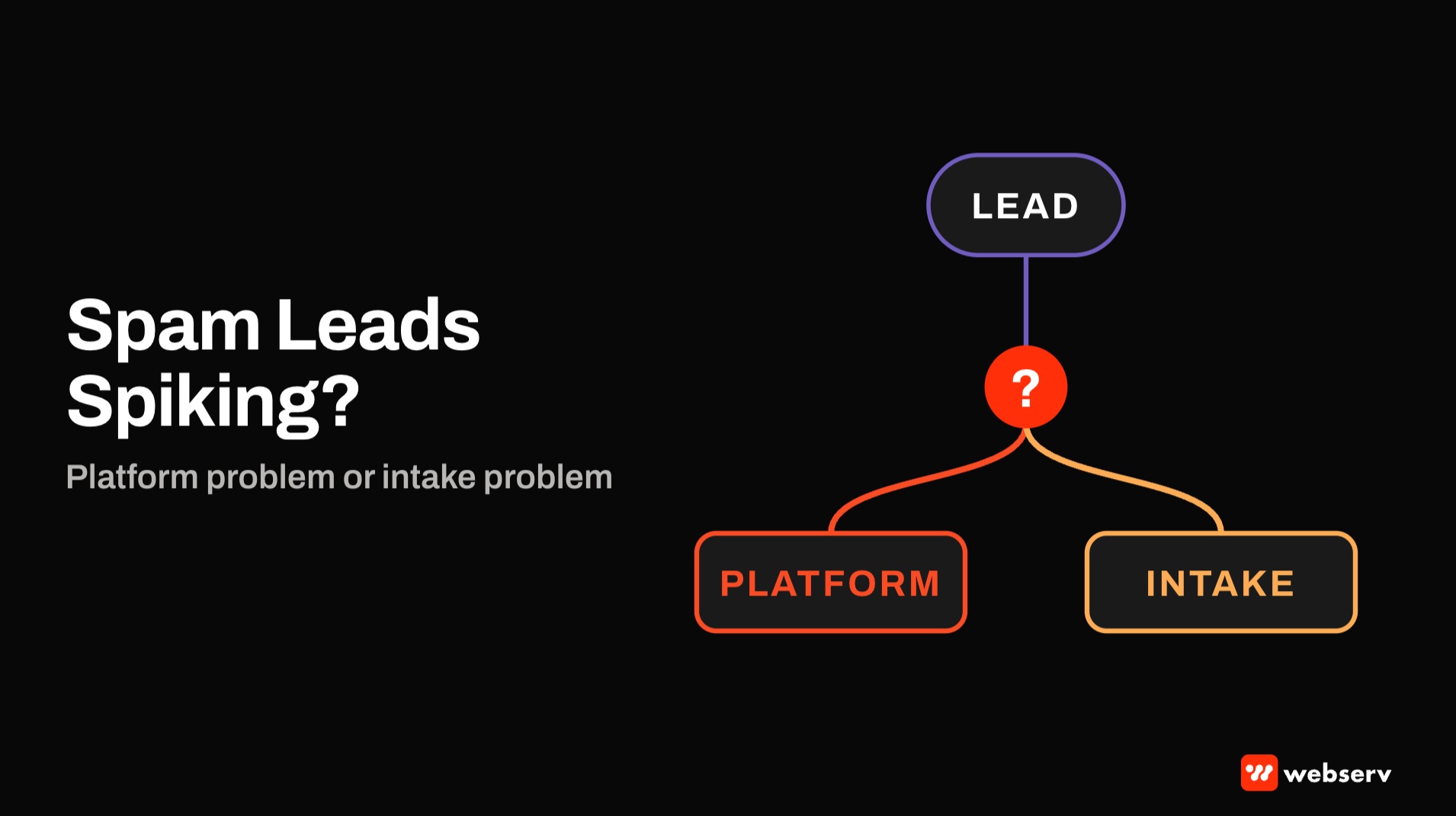
It’s Monday morning. Your admissions lead says half the weekend’s form fills were junk. Your paid search report says conversions are up. Both can be true, and the fix depends on which kind of junk you’re looking at.
Some spam comes from the ad platform: bots, low-quality placements, and campaign types that find cheap conversions. Some is real people who were never a fit. Some isn’t spam at all: real families who called, got voicemail, and never picked up the callback.
Google’s own guidance on preventing invalid leads says its click filters “don’t prevent invalid leads on their own” and calls lead quality a shared responsibility. This piece shows how to tell which problem you have and what to fix first. It’s part of how we run paid search for treatment centers.
Key Takeaways
- Sort junk into three buckets before fixing anything: fake leads, real people who aren’t a fit, and real fits your team didn’t reach.
- Platform spam clusters by campaign type and network. Check Performance Max, Display, and search partners first.
- Google filters invalid clicks, but fake form fills can still get through. Your forms need their own protection.
- Bidding on raw form fills teaches the platform to find more of them. Bid on qualified outcomes instead.
- Before labeling a lead spam, call a sample back. Some “spam” is an intake gap.
First, sort the junk
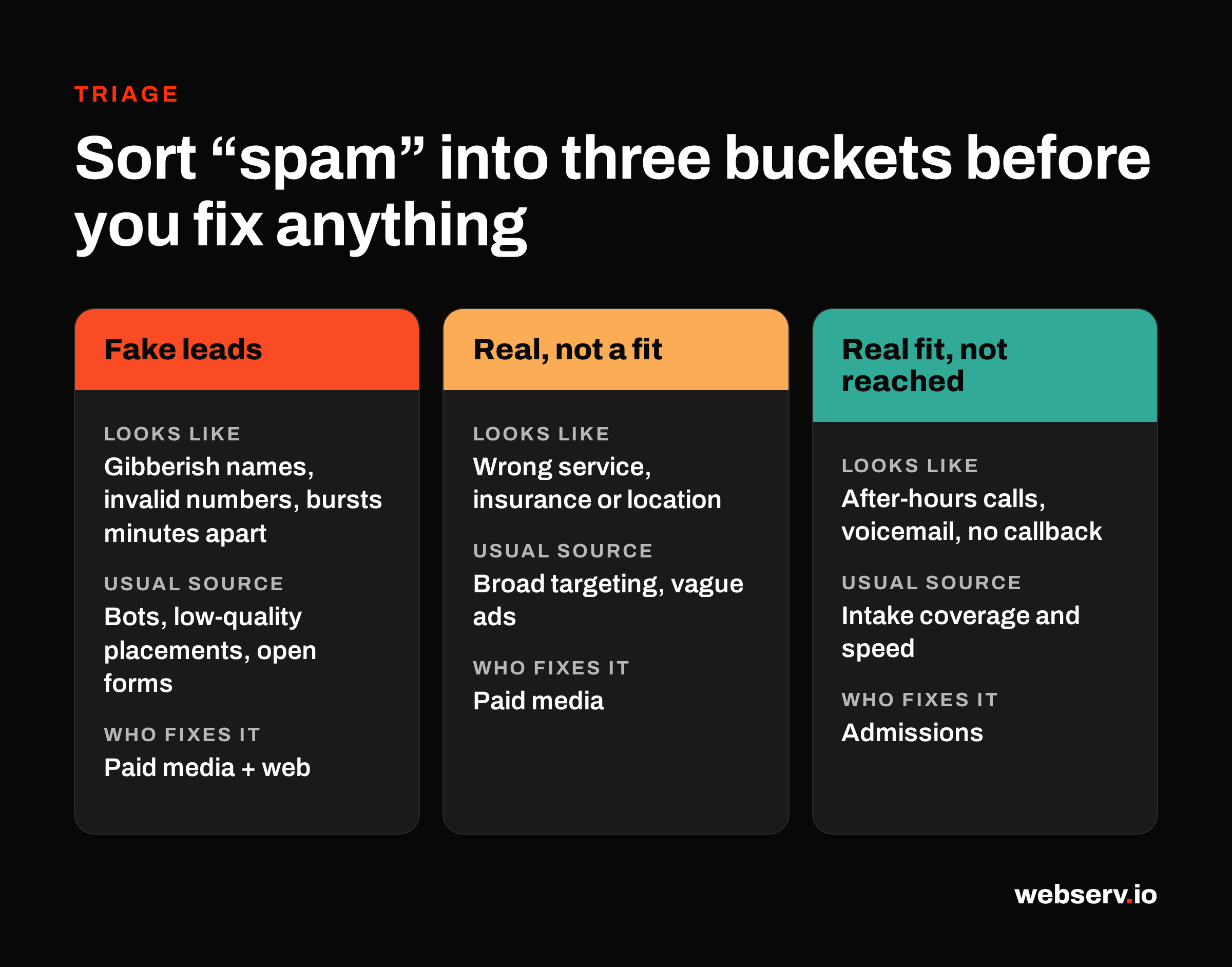
“Spam” covers three different problems with three different owners.
| Bucket | What it looks like | Usual source | Who fixes it |
|---|---|---|---|
| Fake leads | Gibberish names, invalid phone numbers, bursts of submissions minutes apart | Bots, low-quality placements, unprotected forms | Paid media and web |
| Real, not a fit | Real people asking about services you don’t offer, insurance you don’t take, or a different location | Broad targeting, vague ad copy, wrong search terms | Paid media |
| Real fit, not reached | Real families who called after hours, hit voicemail, or never got a callback | Intake coverage and speed | Admissions |
The split matters because each fix is different. Tightening placements won’t help a voicemail problem, and better phone coverage won’t stop a bot.
DEFINITION
Spam lead. A form fill or call from a bot or fake identity, with no real person seeking treatment behind it. Bad-fit and missed leads aren’t spam, even when they’re reported as spam.
Signs the problem is the platform
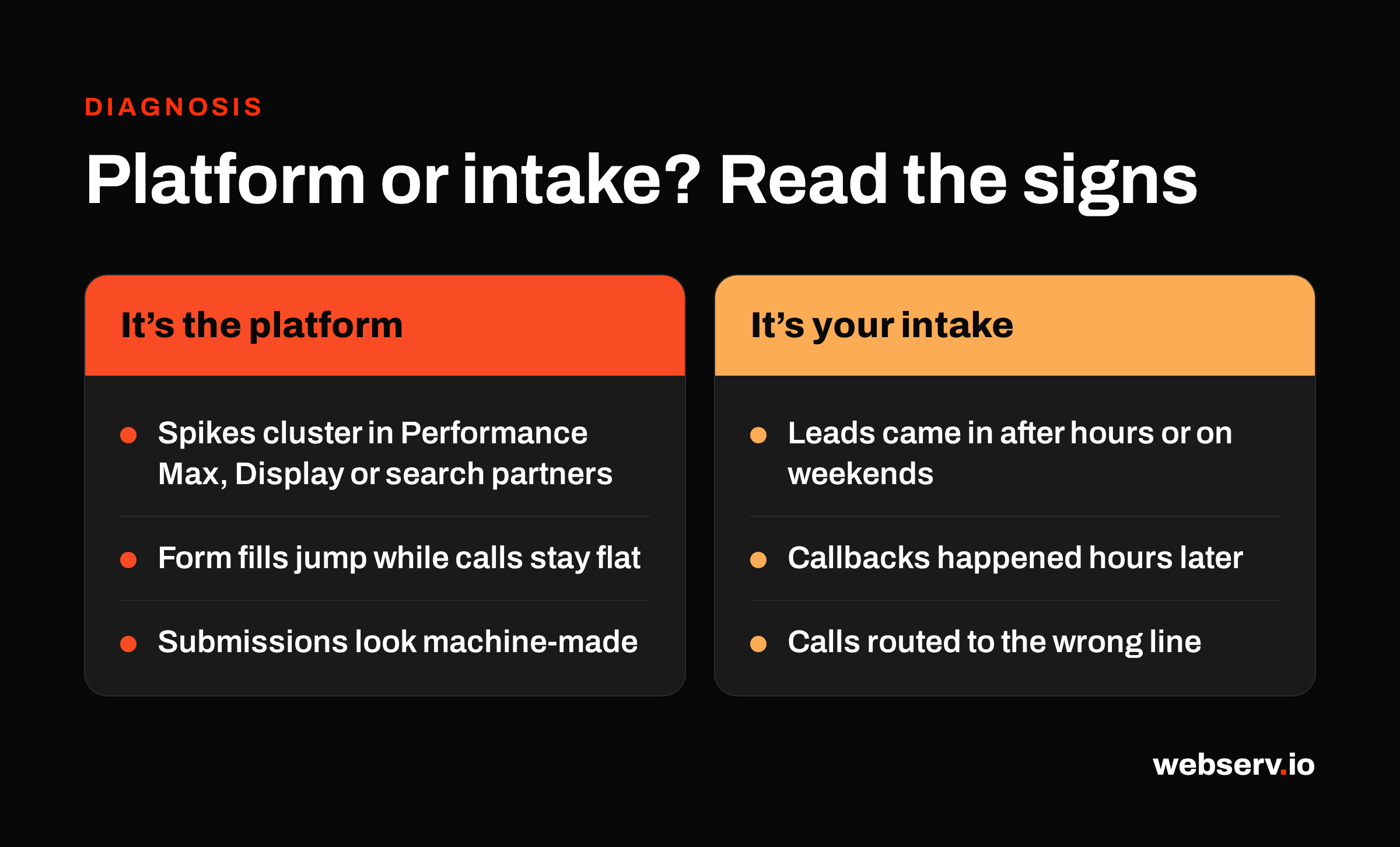
Platform-driven spam usually shows a pattern you can see in the account:
- It clusters by campaign type. The spike sits in Performance Max, Display, or traffic from search partners, while core Search campaigns look normal.
- Conversions rise and calls don’t. Form fills jump, but qualified calls and admissions stay flat.
- The submissions look machine-made. Same field patterns, odd hours, short gaps between entries.
Google gives you tools to check. The placement report, under Report editor and “Content suitability,” shows where your Search, Shopping, and App ads ran, including search partner sites. The channel performance report breaks Performance Max results out by channel, and since January 2026 it separates search partners.
The Invalid clicks column on the Campaigns page shows what Google filtered. Google says an increase there means its defenses are working, and that a traffic spike “doesn’t always indicate invalid traffic.” Filtered clicks aren’t charged, but fake leads from unfiltered clicks still reach your forms.
Fixing the platform side
Opt out of search partners where they underperform. Search campaigns include search partners by default, and Google notes those clicks may not always be highly targeted. Check search partner results in the placement report before deciding.
Add placement exclusions. Exclusions can be set at the campaign, ad group, or account level, and account-level exclusions apply to search partners and Performance Max too. Exclude mobile app placements that send junk.
Use negative keywords everywhere they work. Performance Max now supports campaign-level negative keywords for Search and Shopping inventory. An account-level negative list applies across Search, Performance Max, and other campaign types. Our guide to negative keywords for addiction treatment covers what to block.
Count calls by length. Call conversions only count when a call lasts at least the minimum you set. Google’s API documentation lists 60 seconds as the default. Short accidental and robocalls shouldn’t count as conversions.
Report what slips through. Google reviews invalid activity reports for the last 60 days. Submit them with click IDs through its click quality form.
COMMON MISTAKE
Bidding on raw form fills. Smart bidding learns from whatever you call a conversion. If every form fill counts, the platform finds more cheap form fills, including the junk ones.
Google’s lead quality guidance recommends bidding on qualified or converted leads instead. For treatment centers, send those outcomes back through offline conversion import using click IDs and neutral event names, with no patient details.
Fixing the website side
Google’s click filtering doesn’t stop a bot from filling out your form. Protect the form itself:
- Add a bot check. reCAPTCHA v3 scores each submission without making real users solve a puzzle. Google suggests starting at a 0.5 threshold.
- Validate on the server. Reject impossible phone numbers and empty required fields before they reach your CRM.
- Watch the timing. Many submissions within seconds of each other usually aren’t people.
Forms on a treatment center site carry HIPAA considerations too. Our guide to HIPAA-compliant contact forms covers the stack.
Signs the problem is your intake
If the “spam” leads have real names, working phone numbers, and plausible questions, look at what happened after they reached you:
- Time of day. Leads that came in after hours or on weekends and went to voicemail.
- Speed. Leads called back hours later, after the family had already found another program.
- Routing. Calls sent to the wrong location or a line nobody answers.
Call scoring settles most of these disputes. A scored recording shows whether the caller was a real inquiry and how it was handled. Our guides to call scoring in CallTrackingMetrics and admissions team call scoring cover the setup.
OPERATOR INSIGHT
Before you call a batch of leads spam, have someone call back a sample of them. If real people answer and say nobody reached them, you have an intake gap, and pausing ads would cut real admissions.
A spam spike triage checklist
Work through these in order the next time someone says the leads are junk. Most spikes resolve by step four, once you know which bucket you’re in.
Segment the spike
Segment the spike by campaign type, network, and device.
Check the platform reports
Check the platform reports: invalid clicks, placements, and Performance Max channels.
Read the raw submissions
Read the raw submissions for fake patterns and timing.
Call back a sample
Call back a sample of the leads labeled spam.
Fix the source
Fix the source: exclusions and negatives, form protection, or intake coverage.
Point bidding at qualified outcomes
Point bidding at qualified outcomes so the platform stops chasing junk.
Where this fits
For the account structure behind these fixes, see our Google Ads strategy guide for treatment centers and our take on bidding strategy for small budgets.
For why platform numbers and admissions never match, see the attribution gap between ad platforms and your CRM and our CallRail setup guide.
For how paid search fits the rest of your marketing, see the complete guide to behavioral health marketing. If you want a second look at where your spam is coming from, book an intro meeting.
Frequently Asked Questions
Why are we getting spam leads from Google Ads?
Most often from campaign types and networks that reach lower-quality inventory, such as Performance Max, Display, and search partners, combined with forms that have no bot protection.
Bidding on raw form fills makes it worse, because the platform learns to find more of them.
Check where the spike sits before changing anything.
Does Google refund spam leads?
Google doesn’t charge for clicks it identifies as invalid, and it can credit invalid activity it finds later.
It doesn’t refund fake form fills from clicks it didn’t flag. Its own guidance says click filters don’t prevent invalid leads on their own.
You can report suspected invalid activity from the last 60 days with click IDs.
Should treatment centers turn off Google search partners?
Not automatically. Check search partner performance in the placement report first.
If search partner traffic sends junk leads or few qualified calls, opt out in the campaign’s network settings.
Search partners are on by default in Search campaigns.
How do we stop spam from Performance Max?
Add account-level placement exclusions, campaign-level negative keywords, and an account-level negative list.
Check the channel performance report to see which channels the leads come from.
Bid on qualified outcomes instead of raw form fills so the campaign stops optimizing toward junk.
How do we know if it’s spam or an intake problem?
Call a sample of the leads labeled spam. Fake names and dead numbers point to the platform or your forms.
Real people who say nobody reached them point to intake coverage, speed, or routing.
Call scoring makes this a routine check instead of an argument.
Keaton Nalle is the Director of Paid Admissions at Webserv, a digital marketing agency for treatment centers.